We will cover the following topics:
- Setting up a Next.js project
- Setting up a Supabase project for local development
- Building the login form
- E2E Testing the login flow
- Building the register form
- E2E Testing the register flow
and a bonus section on:
- Using saved auth state to test flows that require authentication.
Stuff you will work with this course:
- Next.js
- TypeScript
- Supabase
- Playwright
- Zod
- Server Actions
- useFormState (useActionState)
What are we building?
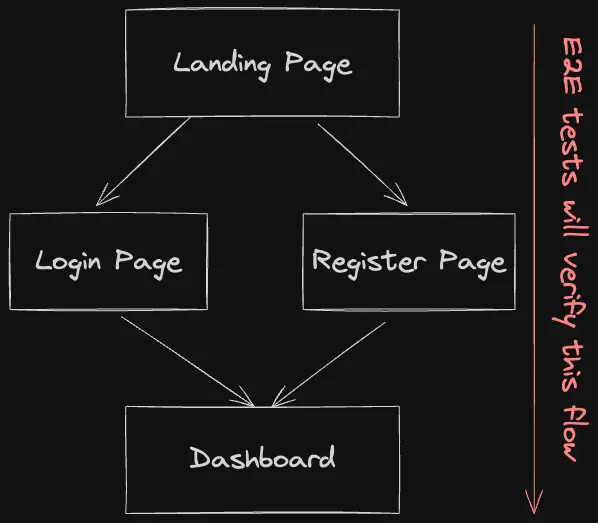
This is a pretty common scenario for most web applications. A landing page with a login and register button. When the user clicks on the login button, they are taken to the login page. If they click on the register button, they are taken to the register page. After the user logs in or registers, they are taken to the dashboard.
Why should we test the login and register flow?
We should test the login and register flow because it is a critical part of any web application. It is the first interaction a user has with your application. If the login and register flow is broken, the user will not be able to use your application. This can lead to a loss of users and potential revenue.
But how often can this break that we need to test it? The answer is, that it can break anytime. It can break when you make changes to the codebase when you update a library, or when you deploy a new version of your application. It is always a good idea to have tests in place to catch these issues before they reach your users.
Without further ado, let's get started with the course.